
Trading shows Locked
The account menu shows Locked and trades ask you to unlock. What locking does, what keeps running, and how to unlock.
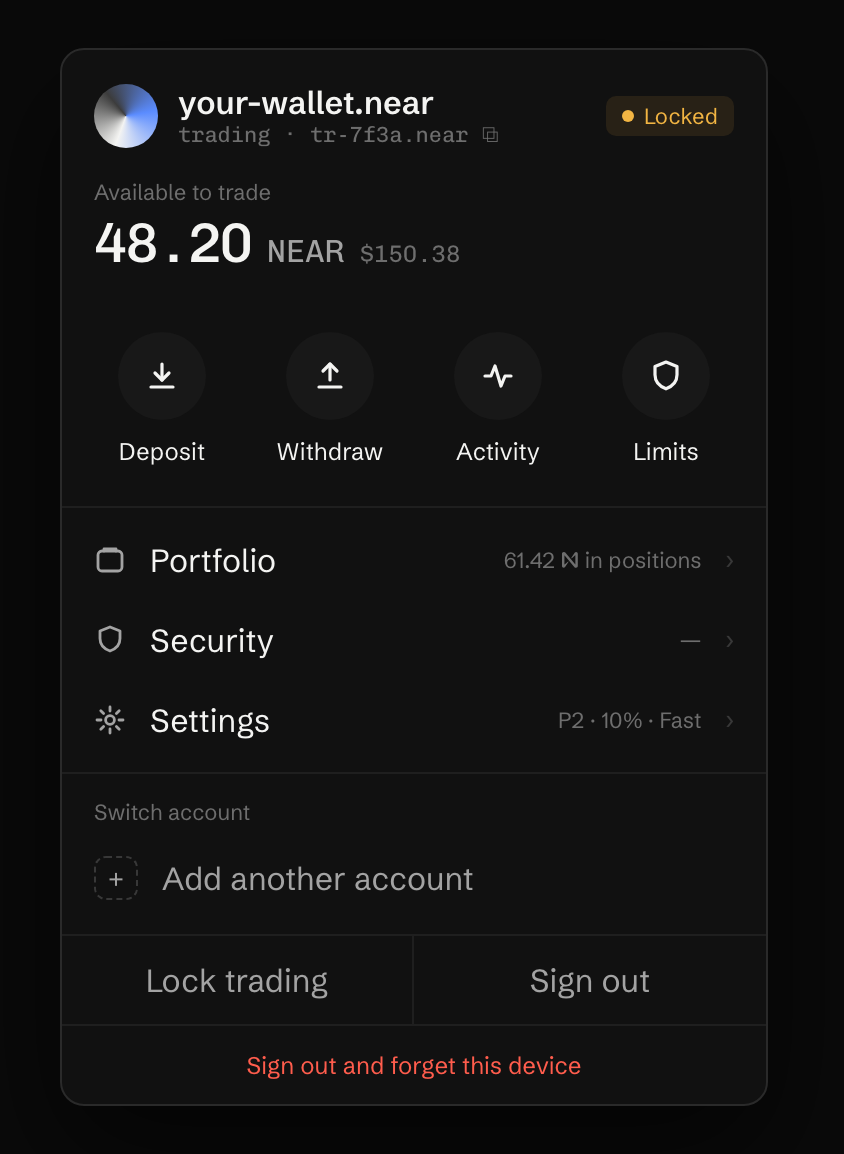
What happened
Section titled “What happened”Your trading key signs only while this browser has trading unlocked. Unlocking lasts until you sign out or close the browser (“Stays on until you sign out or close the browser”). In Settings, Lock after inactivity can also lock it after 15, 30 or 60 idle minutes. It is off unless you turn it on.
While trading is locked:
- the key can’t sign trades,
- the balance still updates,
- a deposit from another network that needs its last move into your account waits, and its card shows Unlock trading.
24/7 orders keep running. They use our order service’s key, not this browser’s.
What to do
Section titled “What to do”-
Press Unlock trading in the signer frame, or Unlock on the trade’s message.
-
The menu then shows Unlocked. Trade again.
If the app asks you to approve in your wallet instead, or says Trading key cleared, this browser lost its key. See Asked to set up this device again.
To lock on purpose, pick Lock trading from the same menu.
Last verified 15 October 2026 against R4.