
NEAR deposit shows Unconfirmed
A NEAR deposit from your wallet shows Checking your deposit, or Unconfirmed in Recent. How the app finds the transfer on chain, and what to check before you send again.
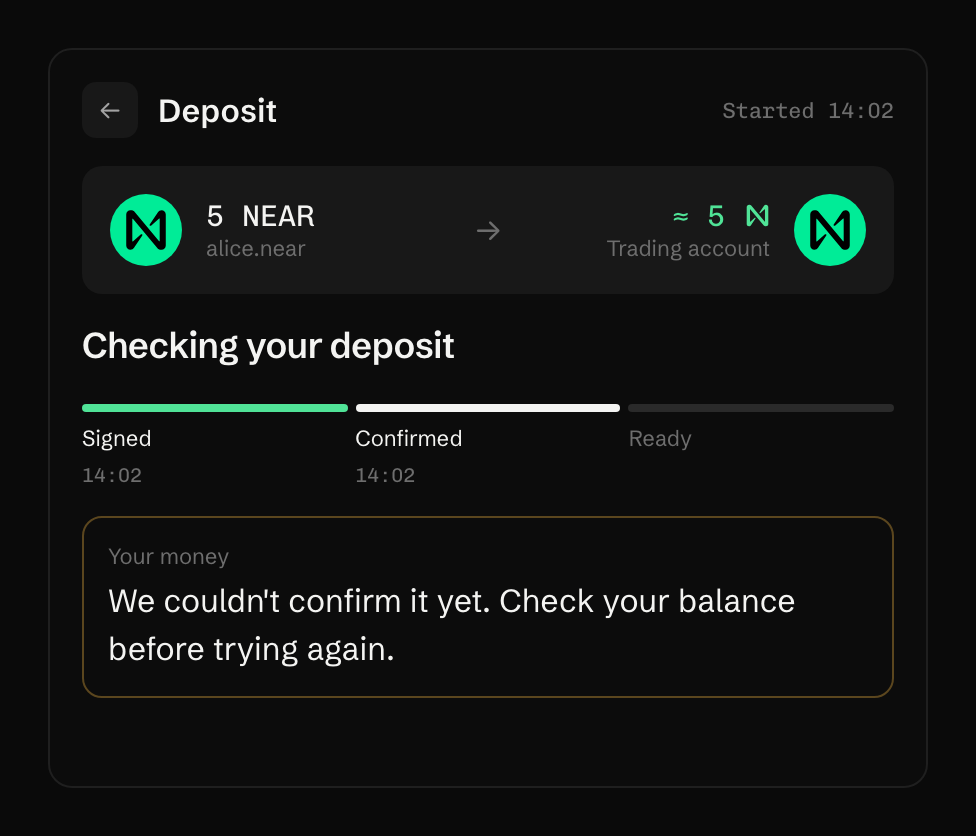
What happened
Section titled “What happened”Your wallet reported an error after it may already have sent the transfer. That happens when the wallet’s own connection to NEAR drops mid-request. The app doesn’t take the wallet’s word either way.
| What the chain shows | What the app shows |
|---|---|
| The transfer went through | The deposit completes and Recent says Ready |
| Nothing left your wallet | “Nothing was sent. Your NEAR is still in” your wallet’s name |
| No answer 30 hours after the first look | Unconfirmed in Recent |
What to do
Section titled “What to do”- Wait while the card says Checking your deposit. It settles on its own, and you can close the page.
- Don’t send the deposit again until it does.
- If Recent says Unconfirmed, check two things: your wallet’s history for the transfer, and Available to trade in the account menu. The balance is read even while trading is locked.
If your wallet shows the transfer and the balance didn’t move, contact Support with your trading account name and the time you sent it.
Your funds
Section titled “Your funds”A transfer your wallet sent is on chain and in your trading account. Unconfirmed is the app’s status after 30 hours without an answer, not the transfer’s.
Last verified 15 October 2026 against R4.