Sell
Sell part or all of a position from the ticket, the position panel or Portfolio, what a sell needs free in NEAR, and the wNEAR row.
You can sell from three places: the ticket’s Sell tab, the position panel under the ticket, and the Portfolio screen. They all sign the same kind of transaction, so pick whichever is closest.
From the ticket
Section titled “From the ticket”-
On the token’s page, switch the ticket to Sell. Amounts here are a share of what you hold: 25% 50% 75% 100%, or type your own percent.
-
Read You receive ≈, the NEAR the quote expects, and Route & fees for the minimum you accept.
-
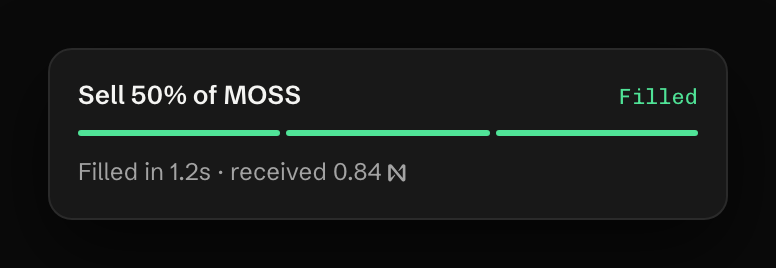
Press Sell 50% of and the symbol (the button repeats your share).
From the position panel
Section titled “From the position panel”Under the ticket, Your position shows what you bought, sold and still hold, with the PnL. Its quick buttons sell at once: 25%, 50%, All, and Initials. Initials sells just enough to take back the NEAR you put in and leaves the rest of the position open. When the app has no cost for those tokens (they arrived by transfer), Initials sells all of them, and its tip says so.
From Portfolio
Section titled “From Portfolio”Each row on the Portfolio screen has 50% and Sell all. Above the list, Sell all losers sells every position below its cost after one confirmation that names how many positions and transactions that is.
What a sell needs free
Section titled “What a sell needs free”A sell is paid for before it runs. Your trading account needs plain NEAR free for the 0.05 NEAR reserve, the gas held while the transaction signs (about 0.2 NEAR, nearly all of it returned) and the fee.
What a sell needs free in NEAR
What a sell needs free in NEAR
When it’s short, nothing is sent and the toast says how much is missing:
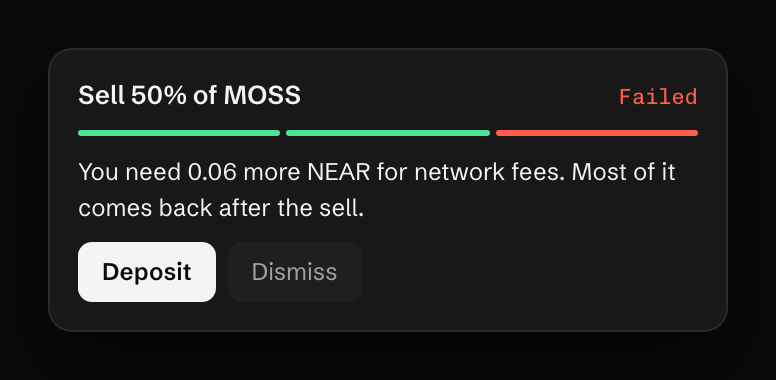
Tokens bought in the ticket keep that room set aside for their own sale. Not enough NEAR for fees covers the rest.
Taxes and thin pools
Section titled “Taxes and thin pools”A token with a sell tax shows it in the ticket before you press: “7% tax comes on top, so this sells 93.4% of your bag”. When a pool can’t pay out what your share is worth, the ticket says “This pool can pay out at most” and the amount, with a button to sell the share it can fill.
Sells that pay in wNEAR
Section titled “Sells that pay in wNEAR”A few launchpad venues pay a sale out in wrapped NEAR (wNEAR) instead of plain NEAR. It shows on Portfolio as its own row:

Press Convert to NEAR to turn it into plain NEAR in the same account. One wNEAR is always one NEAR. Converting is a transaction of its own and needs about 0.2 NEAR of plain NEAR free while it signs.
What it costs
Section titled “What it costs”On Rhea, Rhea DCL and Plach the 0.75% fee is worked out on the minimum you accept, so it is never more than 0.75% of what you receive. On Shards Market and launchpad curves it is 0.75% of the NEAR that arrived. Gas is about 0.002 to 0.006 NEAR. See Fees and costs.
Last verified 15 October 2026 against R4.